Speak. Onelog writes, on your iPhone
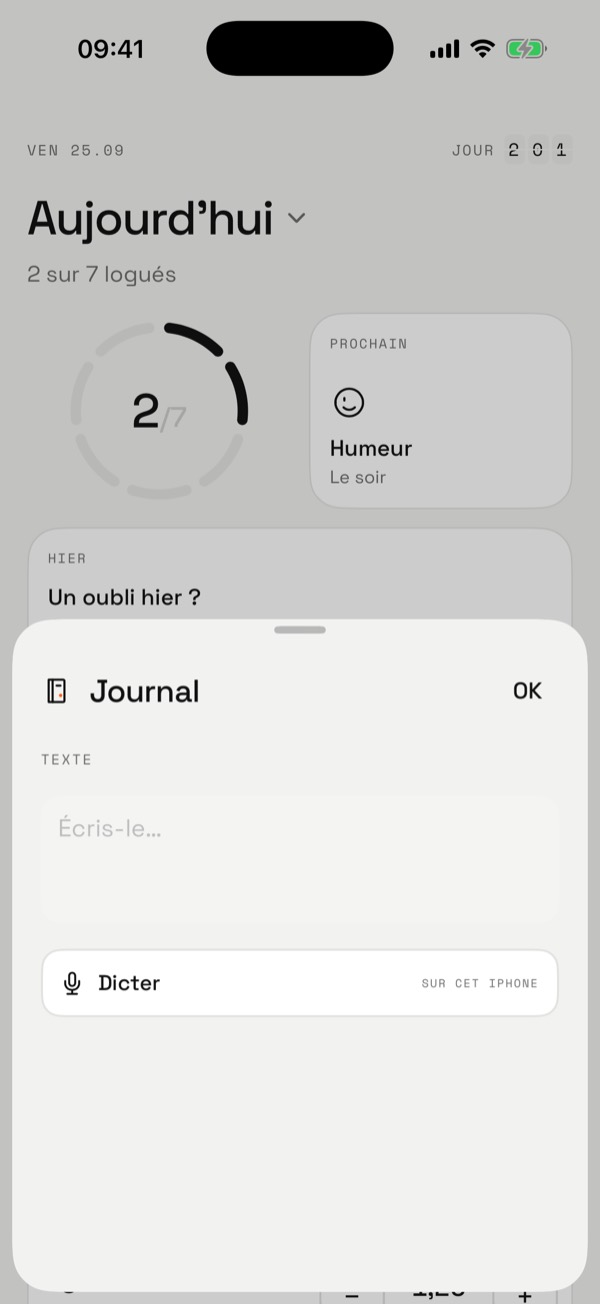
In a text log, tap Dictate: Onelog records your voice and transcribes it on the iPhone, sending nothing. You read it back, fix it, save it.
Journal
Demo: the voice is simulated on this site.
How it works
- Tap Dictate, speak, tap again to stop.
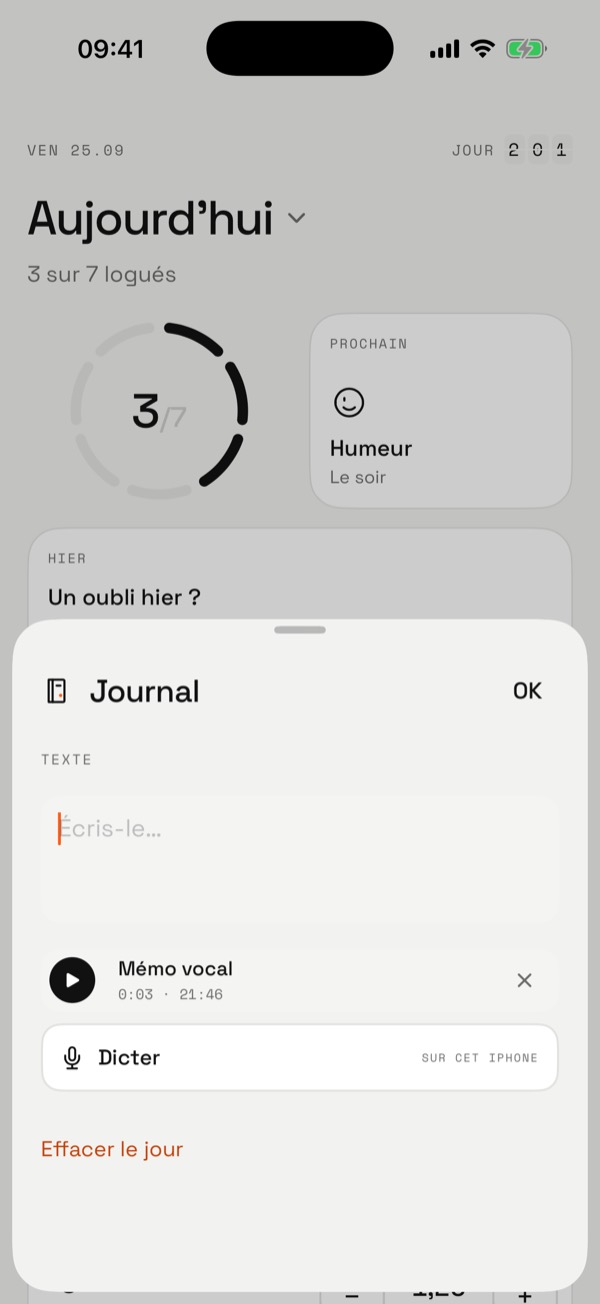
- The text is added to the field. You can still edit it before saving.
- The audio stays attached to the day: you can play it again or delete it. Several memos a day is fine.
- A day with a memo and no text counts as logged.
- If transcription isn’t available (language, missing model), the memo is kept without text.
In the app
Your voice doesn’t leave
- Transcription
- On the iPhone, with iOS 26 speech recognition. No server.
- Audio
- An .m4a file on the iPhone. Never in a webhook or the JSON export (only duration and date are included).
- Permissions
- Microphone and speech recognition, asked the first time you tap Dictate, with a clear explanation.
- Backup
- Included in the iPhone backup. No iCloud sync for now.
Keep going
Try it
One gesture is enough
Free, no account. Your data stays on your iPhone.